Jul 26, 2026 · 3 min read · Security
Removing a PDF Password You Already Know
Your bank statement demands its password every single open - reasonable in transit, tedious in your own encrypted archive. If you know the password, you can save an unlocked copy. Locally, obviously: this file is exactly the kind you don’t upload.
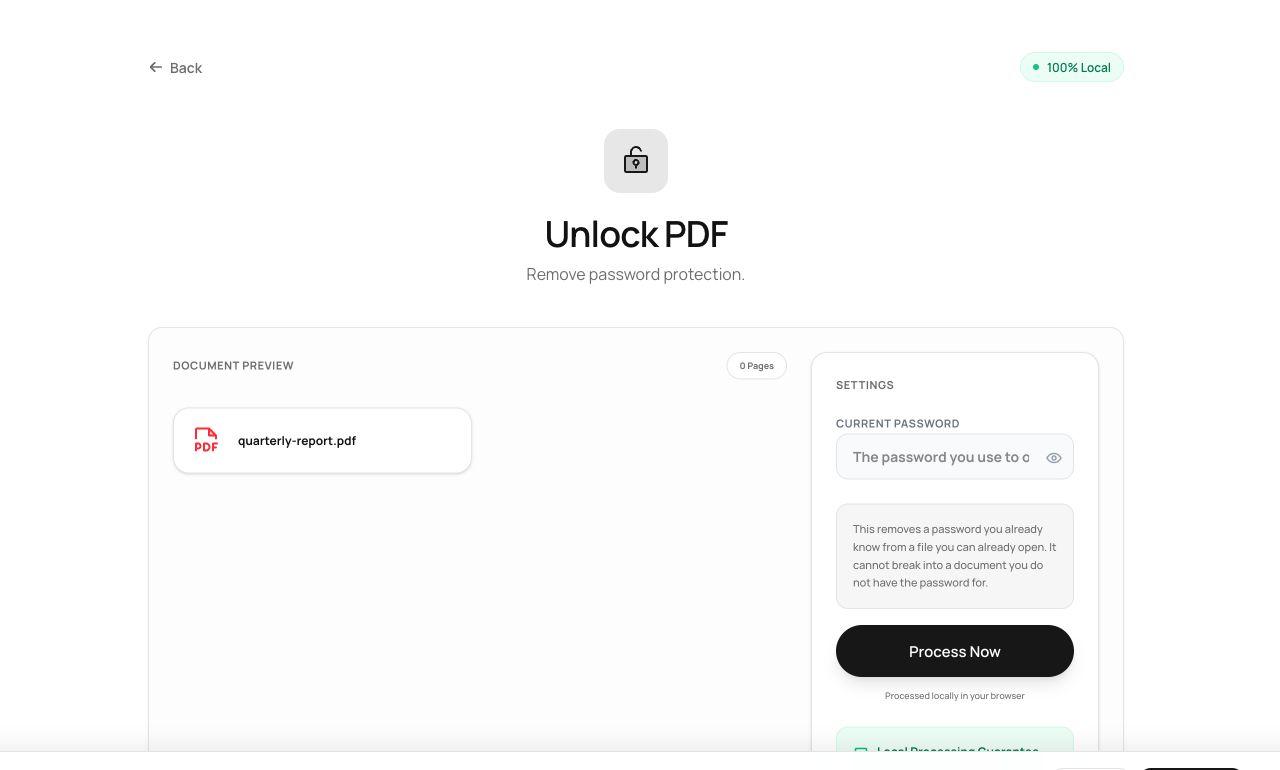
How to use it
- Open Unlock PDF and choose the protected file.
- Enter the current password.
- Process and download the password-free copy.
Try it now: open the Unlock PDF tool - no account, no upload, free.
What happens under the hood
The tool decrypts the document with the password you provide and saves it re-encoded without encryption. Nothing is cracked or bypassed - no password, no result. It is a convenience for files you legitimately own.
Tips for better results
- Keep unlocked statements inside an already-encrypted disk or vault - you’re trading PDF-level protection for storage-level protection.
- Wrong password? Check for the owner/user distinction: some files open freely but restrict printing; unlocking those needs the owner password.
Privacy, in one sentence
Your file is read into your browser's memory, processed there by JavaScript and WebAssembly, and handed back to you as a download - no server ever sees a byte of it. Close the tab and nothing remains.