Aug 05, 2026 · 4 min read · Guide
Splitting a PDF by Page Range, Entirely on Your Device
A 40-page PDF where you need pages 12 to 18 is a file waiting to be split. Instead of sending the whole document - including the 33 pages nobody asked about - to a cloud service, this tool cuts it locally.
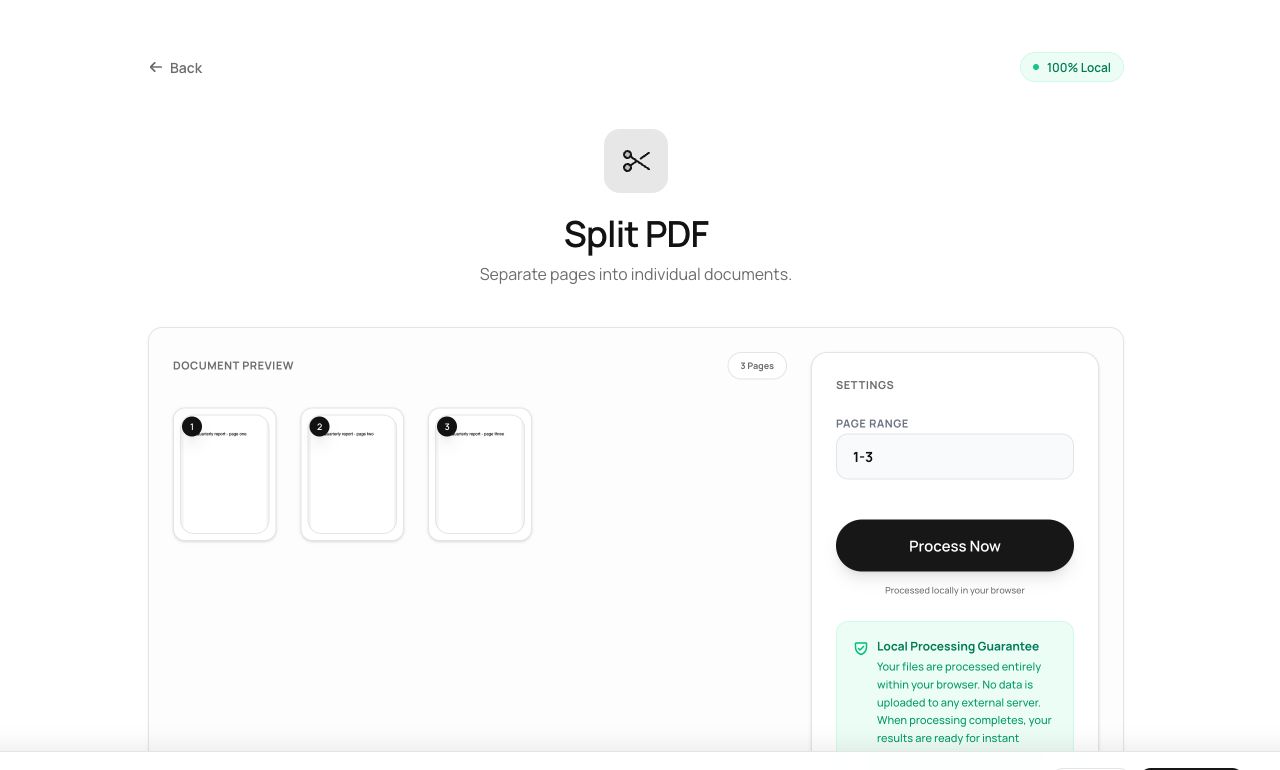
How to use it
- Open the Split tool and choose your PDF.
- Type a page range:
1-3, 7, 12-14takes pages one through three, seven, and twelve through fourteen. - Click Process Now and download the new PDF containing exactly those pages.
Try it now: open the Split PDF tool - no account, no upload, free.
What happens under the hood
The range string is parsed into a list of page indices, then those pages are copied object-for-object into a new document. The original file is never modified - you always get a fresh PDF, and the source stays untouched on your disk.
Tips for better results
- Ranges can overlap and repeat:
1, 1, 2genuinely produces page one twice - occasionally useful for forms. - Out-of-range numbers are ignored rather than failing, so
1-999is a lazy but effective “everything”.
Privacy, in one sentence
Your file is read into your browser's memory, processed there by JavaScript and WebAssembly, and handed back to you as a download - no server ever sees a byte of it. Close the tab and nothing remains.