Aug 05, 2026 · 3 min read · Guide
Fixing Sideways PDFs: Rotation That Actually Saves
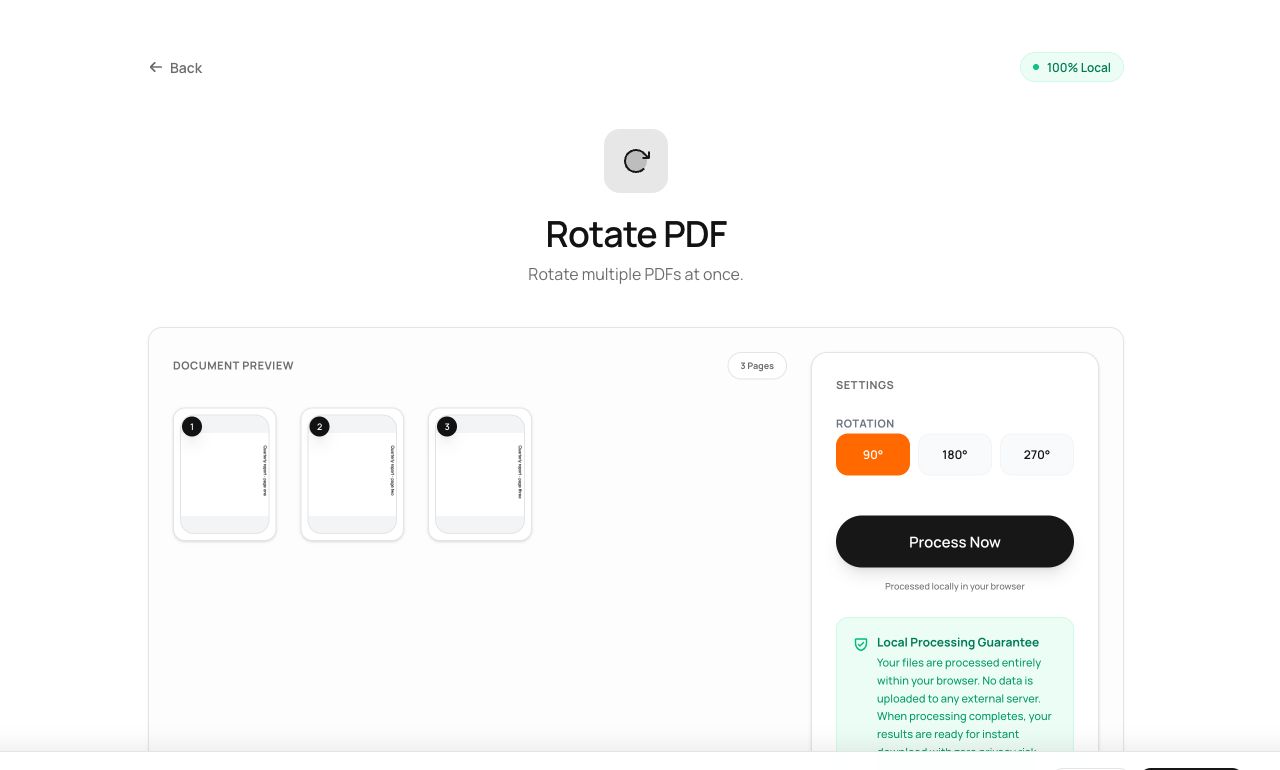
Everyone has received a PDF that opens sideways. Rotating it in your viewer fixes it for you - and nobody else, because viewers store that preference locally. This tool writes the rotation into the file itself.
How to use it
- Open the Rotate tool and pick the PDF.
- Choose 90°, 180° or 270°.
- Process and download - the file now opens the right way up everywhere.
Try it now: open the Rotate PDF tool - no account, no upload, free.
What happens under the hood
Every PDF page carries a /Rotate entry in its dictionary. The tool updates that value on each page and saves the document - a tiny, lossless change. No pixels are touched, so text stays selectable and file size barely moves.
Tips for better results
- Rotation applies to every page. For a single sideways page in a big scan, split it out, rotate it, and merge it back.
- If a scan is slightly crooked (2° skew), rotation won’t help - that needs re-scanning; see our OCR scanning guide.
Privacy, in one sentence
Your file is read into your browser's memory, processed there by JavaScript and WebAssembly, and handed back to you as a download - no server ever sees a byte of it. Close the tab and nothing remains.