Jul 25, 2026 · 5 min read · Security
Redaction That Actually Removes the Text
The redaction failures that make the news share one cause: someone drew a black rectangle over text and called it done. The text was still there - selectable, searchable, one Ctrl+C from public. Real redaction removes the words, and this tool proves it.
How to use it
- Open Redact PDF and choose the document.
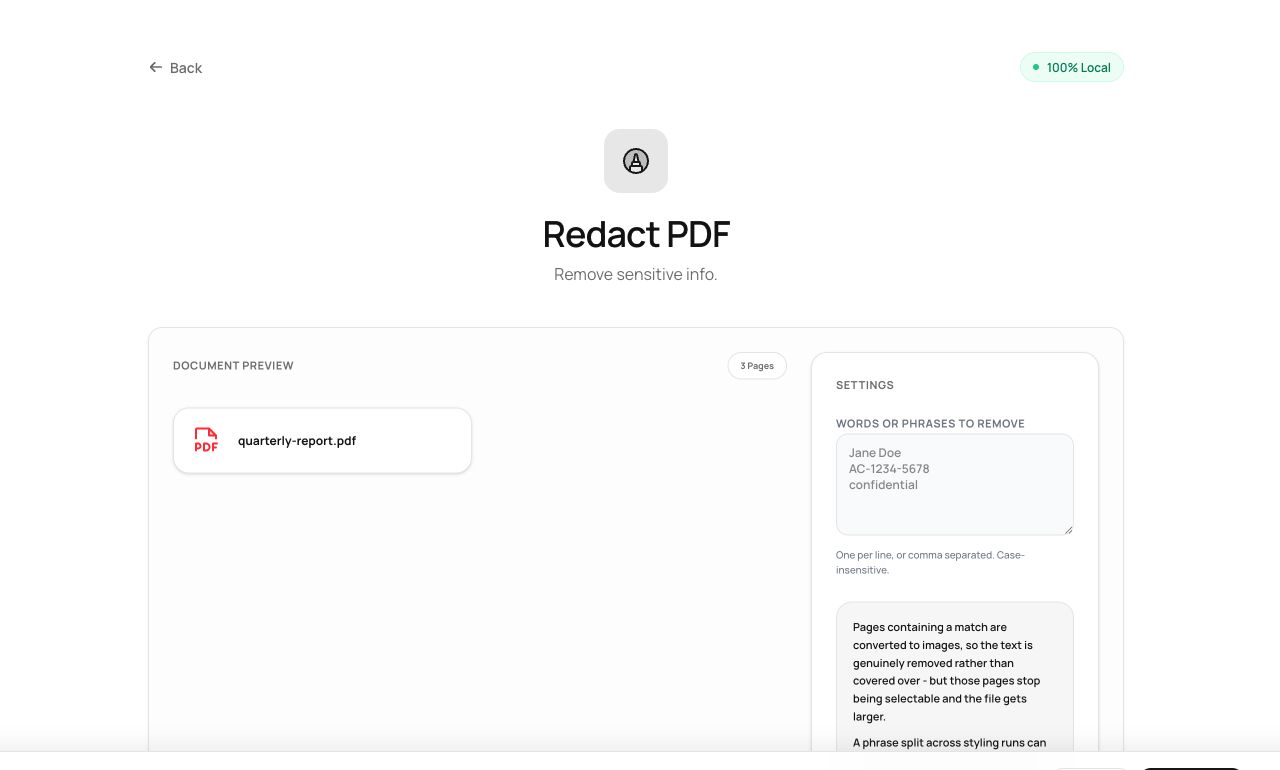
- Enter the words or phrases to remove - one per line. Matching is case-insensitive.
- Process. The tool reports how many instances it removed per page. Verify, then download.
Try it now: open the Redact PDF tool - no account, no upload, free.
What happens under the hood
Matched text is located in the text layer, removed, and the affected pages are rasterized - converted to images - so no residue of the original text objects survives. Search the output for the redacted term: zero results. That is the test every redaction should pass, and the reason this tool trades selectable text for certainty on redacted pages.
Tips for better results
- After redacting, also run Remove Metadata - filenames and author fields leak too.
- Rasterized pages aren’t searchable; run OCR afterwards if the rest of the page must remain findable.
Privacy, in one sentence
Your file is read into your browser's memory, processed there by JavaScript and WebAssembly, and handed back to you as a download - no server ever sees a byte of it. Close the tab and nothing remains.