Jul 26, 2026 · 4 min read · Security
Password-Protecting a PDF With Real AES Encryption
Password-protecting a document on a website is usually a contradiction: you upload the file and the password to someone else’s server and trust them with both. Here the encryption happens in your browser - the password never exists anywhere but your machine.
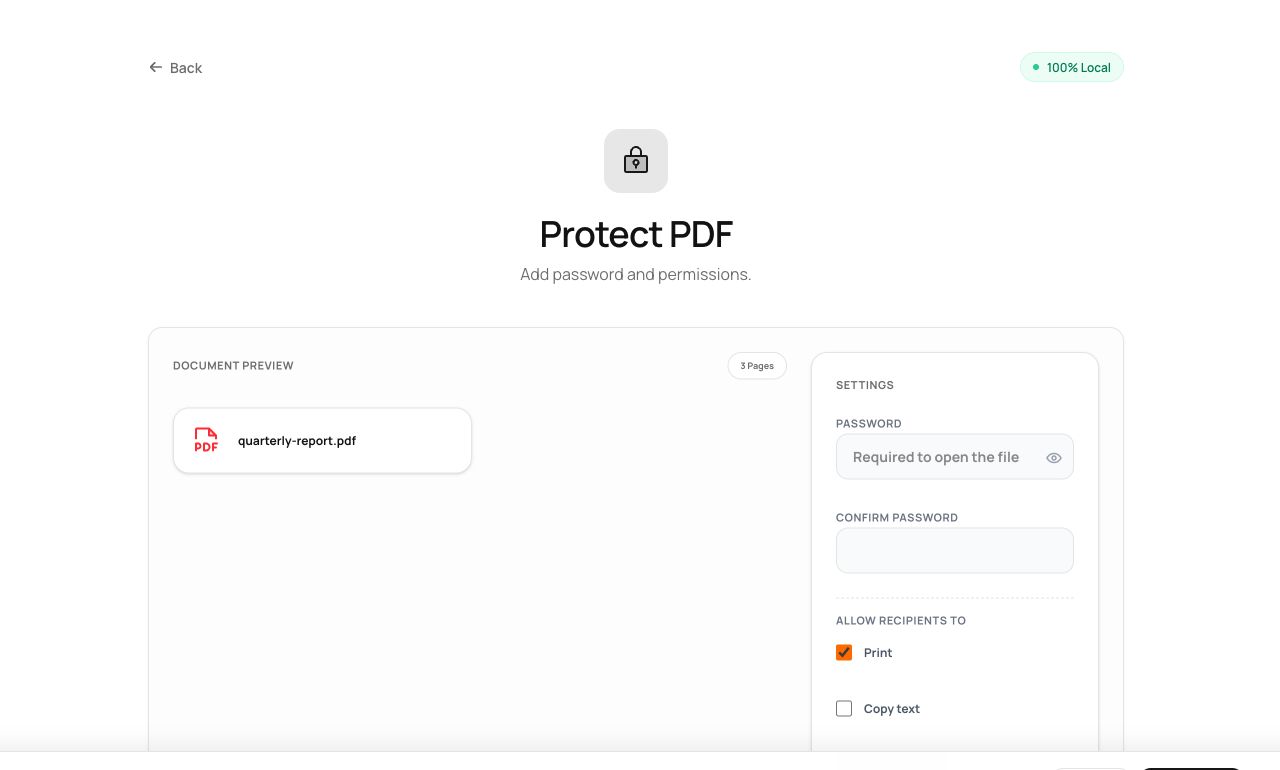
How to use it
- Open Protect PDF and choose the document.
- Set the open password (and optionally a separate owner password with print/copy permissions).
- Process and download - the file now demands the password in any reader.
Try it now: open the Protect PDF tool - no account, no upload, free.
What happens under the hood
The document is encrypted with AES-256, the standard modern PDF readers implement, using keys derived from your password - all computed locally. Permissions (printing, copying) are enforced by cooperating readers; the open password is enforced by mathematics.
Tips for better results
- The open password is the real protection. Permission flags without one are honored by polite software only.
- Use the Password Generator tool for the password, and share it over a different channel than the file.
Privacy, in one sentence
Your file is read into your browser's memory, processed there by JavaScript and WebAssembly, and handed back to you as a download - no server ever sees a byte of it. Close the tab and nothing remains.