Jul 29, 2026 · 5 min read · Convert
PDF/A Explained: Archiving Documents That Must Outlive Software
Courts, archives and records departments ask for PDF/A - the ISO-standardized flavor of PDF designed to still open identically in thirty years. The core rule: the file must be completely self-contained.
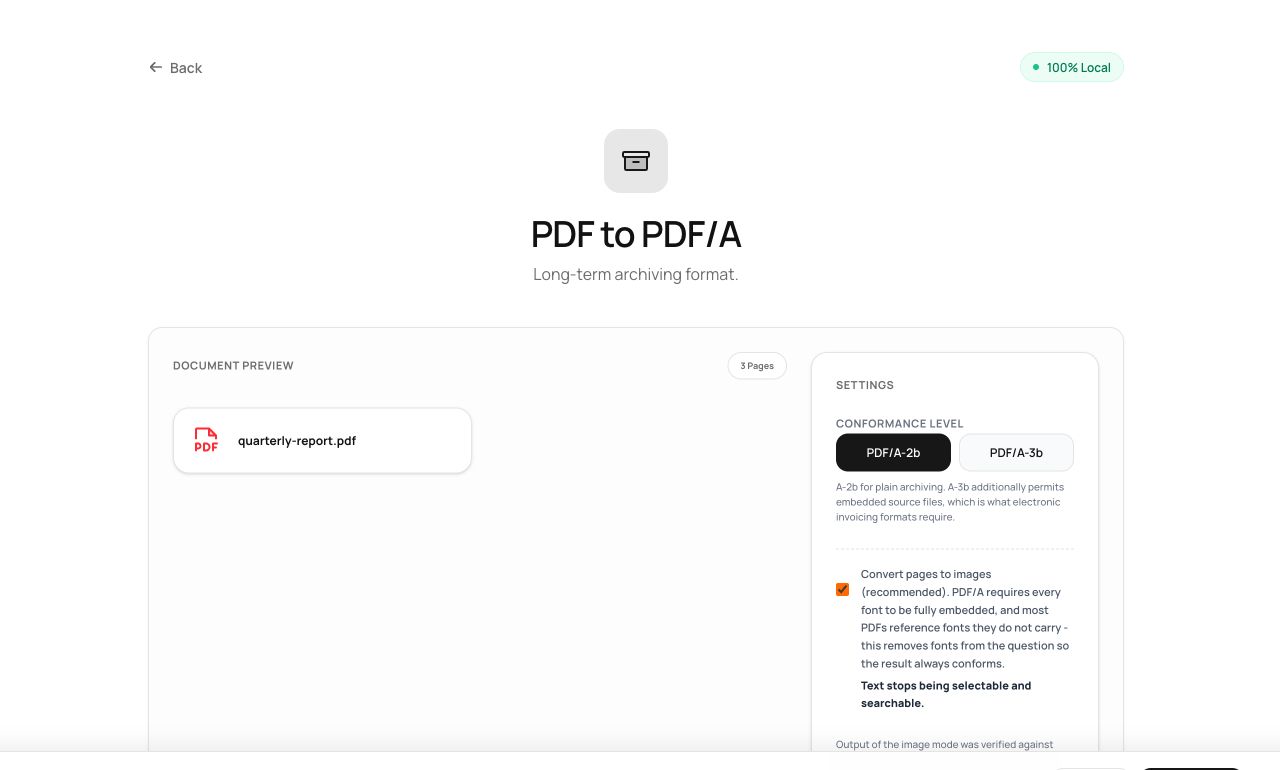
How to use it
- Open PDF to PDF/A and choose the document.
- Process - the file is rebuilt to the archival profile.
- Download and submit/archive the conformant copy.
Try it now: open the PDF to PDF/A tool - no account, no upload, free.
What happens under the hood
PDF/A forbids external dependencies: every font embedded, colors device-independent, no JavaScript or encryption, plus XMP metadata declaring conformance. An arbitrary PDF often references fonts it doesn’t carry - the honest fix, which this tool takes, is rendering pages to a self-contained form so the visual record is guaranteed, then writing the required metadata and color profile.
Tips for better results
- Archive the PDF/A alongside your working original, not instead of it - one is for the record, one is for editing.
- Run OCR first on scans so the archived file is also searchable; the text layer survives conversion.
Privacy, in one sentence
Your file is read into your browser's memory, processed there by JavaScript and WebAssembly, and handed back to you as a download - no server ever sees a byte of it. Close the tab and nothing remains.