Jul 30, 2026 · 4 min read · Convert
PDF to Markdown for Notes, Wikis and LLM Pipelines
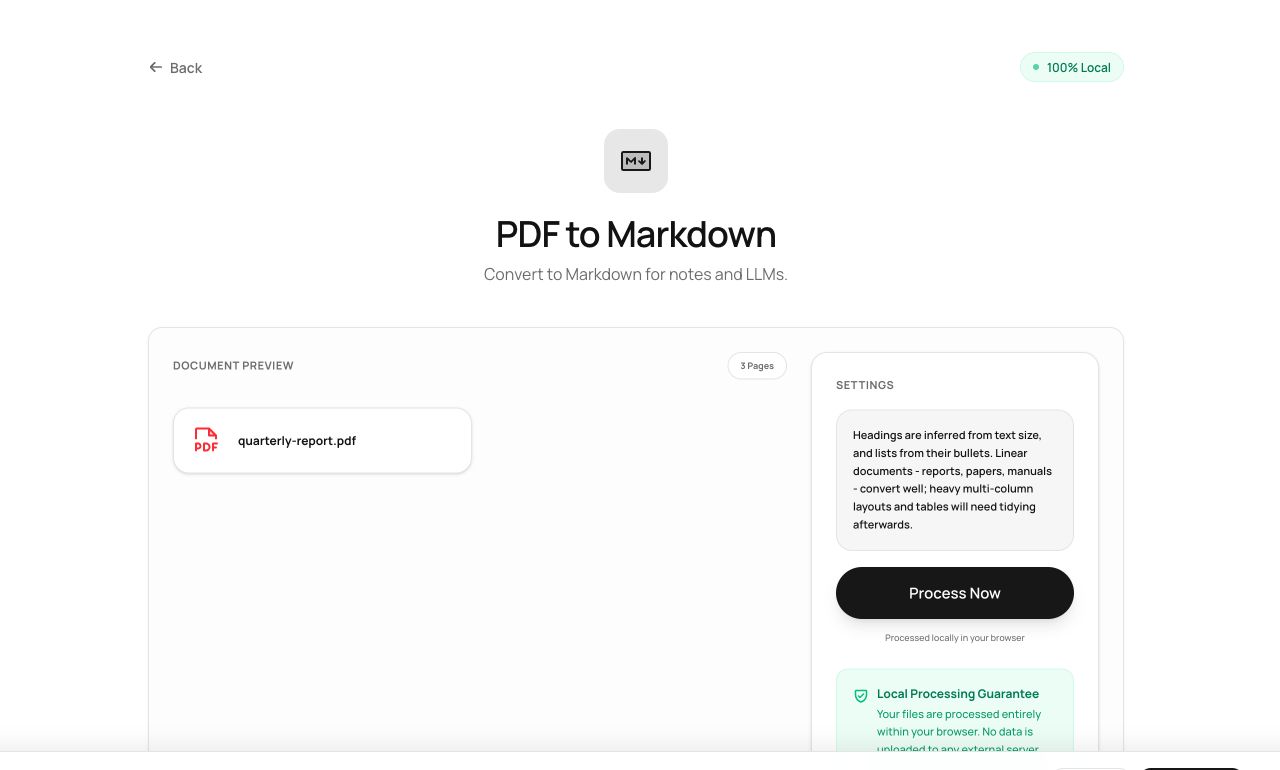
Markdown is the lingua franca of notes apps, wikis, static sites and LLM pipelines. This converter walks a PDF and emits structured Markdown - headings, lists, paragraphs - rather than a wall of raw text.
How to use it
- Open PDF to Markdown and choose the PDF.
- Process - structure is inferred from font sizes and layout.
- Download the .md, ready for Obsidian, Notion, Git or a RAG ingestion job.
Try it now: open the PDF to Markdown tool - no account, no upload, free.
What happens under the hood
Text is extracted with size and position metadata; the converter maps size tiers to heading levels (#, ##, ###), recognizes bullet and numbered list patterns, and keeps paragraphs together by line spacing. What can’t be classified stays as clean paragraphs rather than broken syntax.
Tips for better results
- Perfect input for local LLM/RAG pipelines: converting on-device means the corpus never crosses the network either.
- Check heading levels on documents with unusual typography - a subtitle set large can outrank a chapter title.
Privacy, in one sentence
Your file is read into your browser's memory, processed there by JavaScript and WebAssembly, and handed back to you as a download - no server ever sees a byte of it. Close the tab and nothing remains.