Jul 29, 2026 · 5 min read · Convert
Grayscale and CMYK PDF Conversion, With Real ICC Profiles
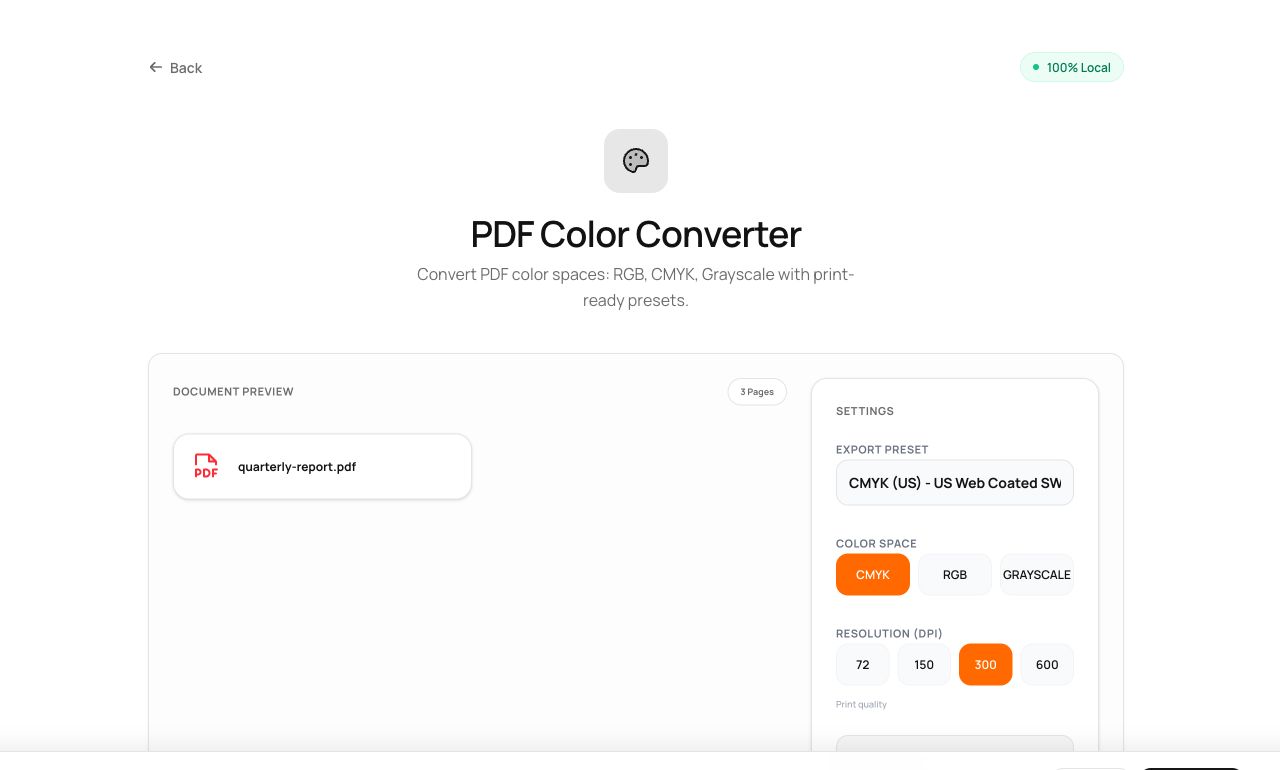
The print shop wants CMYK with a 300% ink limit; the office printer bills by color page; the design brief says grayscale. Color space conversion is prepress work - normally locked inside expensive software - running here with real ICC profiles in your browser.
How to use it
- Open PDF Color Converter and choose the file.
- Pick a preset: Grayscale, CMYK (US SWOP) or CMYK (FOGRA39 for Europe) - or tune ink limits by hand.
- Process and download the converted document.
Try it now: open the PDF Color Converter tool - no account, no upload, free.
What happens under the hood
Pages are rendered and every pixel is converted through ICC color profiles - the same measurement-based transforms professional RIPs use - with black generation and ink limiting applied for CMYK targets. The profiles ship with the site and the math runs locally.
Tips for better results
- Ask your printer which profile they want: US SWOP and European FOGRA aren’t interchangeable.
- Grayscale conversion before printing drafts saves real money on color-metered office machines.
Privacy, in one sentence
Your file is read into your browser's memory, processed there by JavaScript and WebAssembly, and handed back to you as a download - no server ever sees a byte of it. Close the tab and nothing remains.