Aug 04, 2026 · 4 min read · Optimize
Printing 2, 4 or 9 PDF Pages on One Sheet
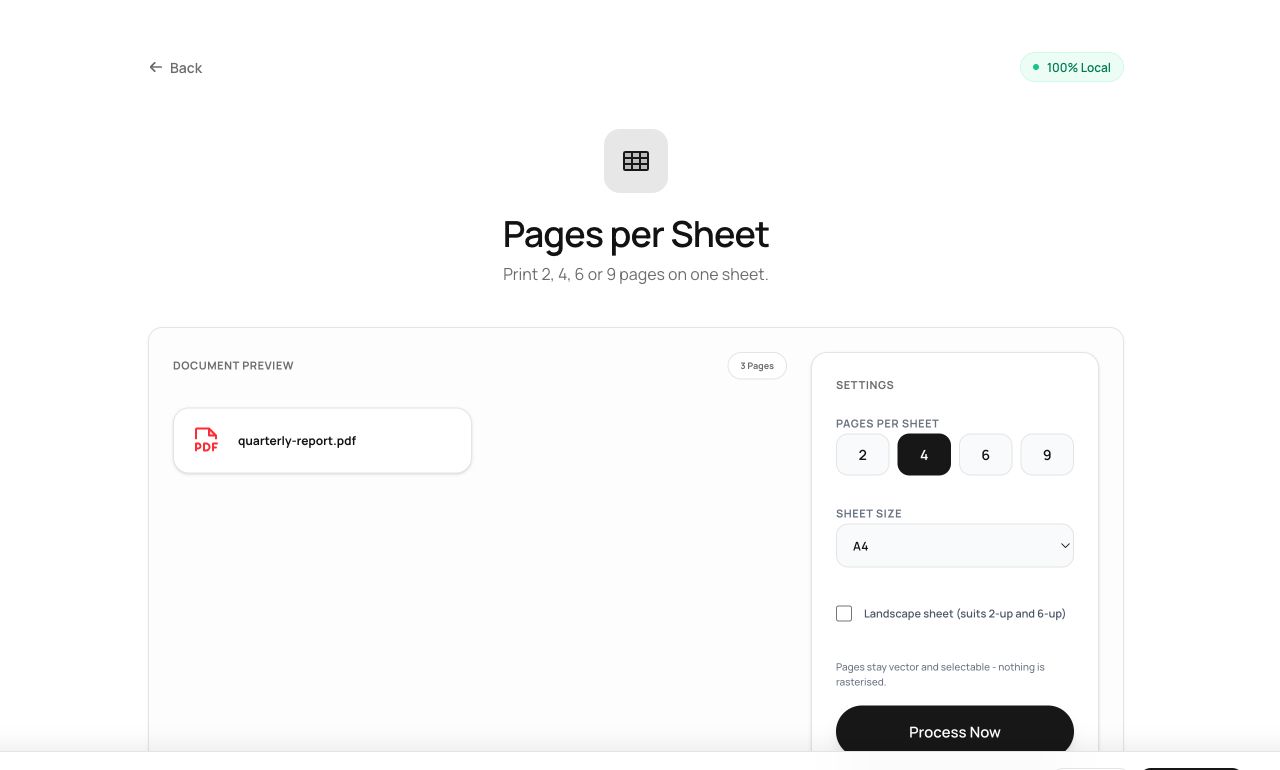
Printing a 40-slide deck one slide per page is a paper massacre. N-up layout - two, four or nine pages per sheet - is built into this tool rather than hidden in a print driver, and produces a real PDF you can share.
How to use it
- Open Pages per Sheet and choose the PDF.
- Pick the layout: 2-up (side by side), 4-up (grid) or 9-up (contact-sheet density).
- Process and download the compacted document.
Try it now: open the Pages per Sheet tool - no account, no upload, free.
What happens under the hood
Each original page is embedded as a scaled-down “form object” - a vector snapshot - and drawn onto new sheets in a grid. Because pages are embedded as vectors rather than rasterized, text stays sharp at any zoom, even at 9-up.
Tips for better results
- 2-up suits landscape slides; 4-up suits portrait documents. 9-up is for skimming structure, not reading.
- Body text below ~10pt becomes squint territory at 4-up - check one sheet before printing fifty.
Privacy, in one sentence
Your file is read into your browser's memory, processed there by JavaScript and WebAssembly, and handed back to you as a download - no server ever sees a byte of it. Close the tab and nothing remains.