Aug 05, 2026 · 4 min read · Guide
Reordering PDF Pages by Dragging Thumbnails
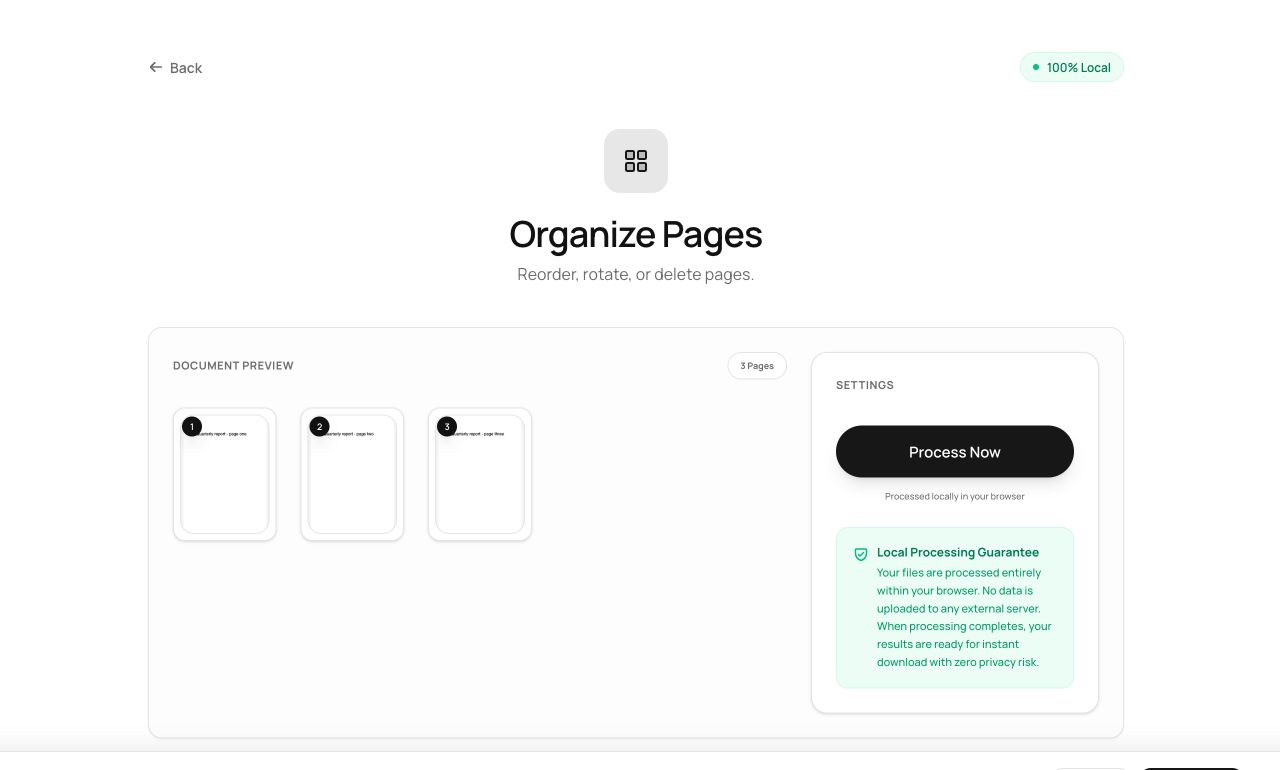
Scanned documents arrive in whatever order the sheet feeder ate them. This tool renders every page as a thumbnail and lets you drag the order right - the document equivalent of laying pages out on a desk.
How to use it
- Open Organize Pages and choose a PDF.
- Wait a moment while every page renders as a thumbnail - this happens locally, powered by the same engine Firefox uses to display PDFs.
- Drag pages into the order you want, or remove the ones you don’t.
- Process and download the reordered document.
Try it now: open the Organize Pages tool - no account, no upload, free.
What happens under the hood
Thumbnails come from pdf.js, which rasterizes each page to a canvas in your tab. The reorder itself uses pdf-lib to copy pages into a new document in your chosen sequence - pages are moved by reference, not re-rendered, so quality is untouched no matter how many times you shuffle.
Tips for better results
- For a 100+ page document, thumbnail rendering takes a few seconds - the page count badge tells you when it’s done.
- Combine with Delete Pages thinking: dragging a page out here achieves the same thing visually.
Privacy, in one sentence
Your file is read into your browser's memory, processed there by JavaScript and WebAssembly, and handed back to you as a download - no server ever sees a byte of it. Close the tab and nothing remains.