Jul 23, 2026 · 5 min read · Edit
Editing PDF Text, Images and Shapes in the Browser
Most “edit the PDF” requests are small: add a line of text, drop in a logo, highlight a clause, cover an old address. A full canvas editor handles all of it without an Acrobat license - or an upload.
How to use it
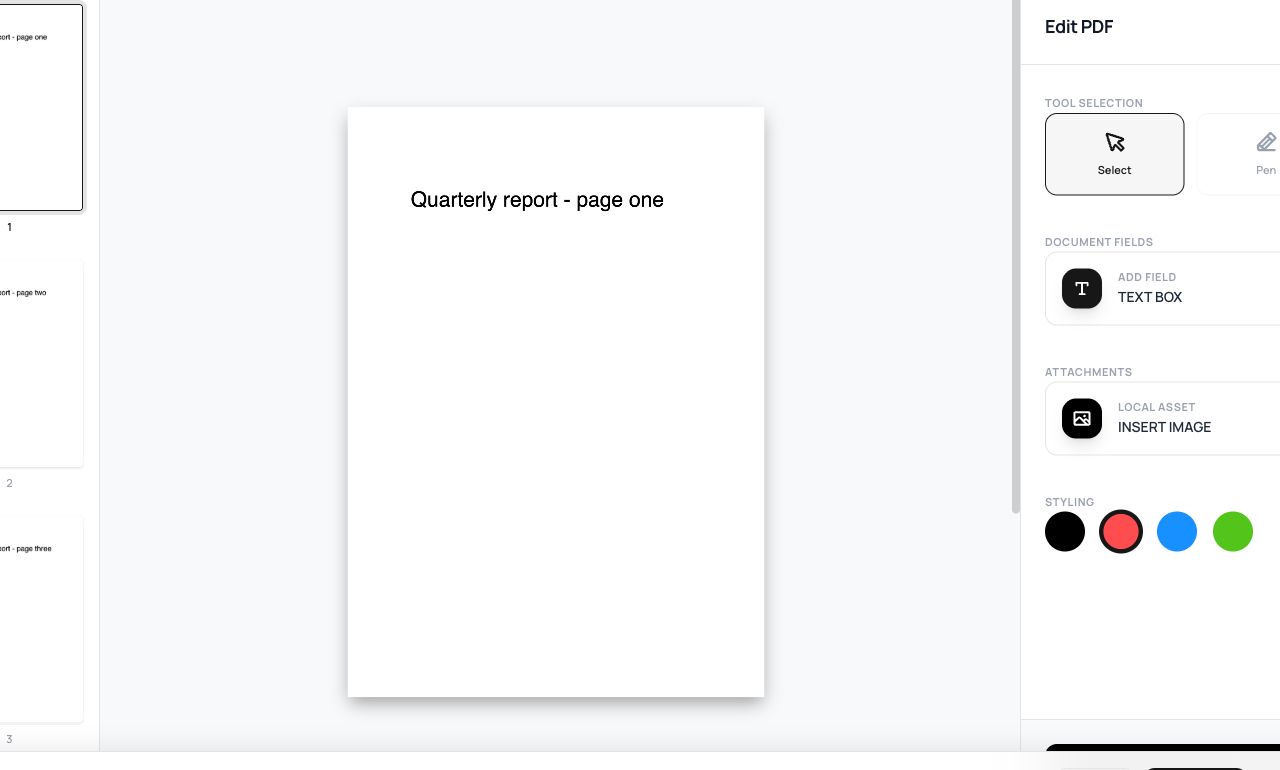
- Open Edit PDF and choose the document - pages load into an editable canvas.
- Add text boxes, images, highlights, shapes; move and restyle them freely.
- Export - your additions are written into the PDF.
Try it now: open the Edit PDF tool - no account, no upload, free.
What happens under the hood
Pages render into a Fabric.js canvas where your edits live as objects you can keep adjusting. On export, each object is drawn into the PDF’s content - text as real text where possible, graphics as embedded images - producing a standard file every reader displays.
Tips for better results
- Match fonts approximately, then judge at 100% zoom - “close enough” usually is.
- Covering text with a box hides it visually but doesn’t remove it - for sensitive content use Redact, which genuinely deletes.
Privacy, in one sentence
Your file is read into your browser's memory, processed there by JavaScript and WebAssembly, and handed back to you as a download - no server ever sees a byte of it. Close the tab and nothing remains.