Aug 04, 2026 · 3 min read · Guide
Removing Pages From a PDF, Locally and Irreversibly
Blank backsides from duplex scanning, fax cover sheets, the page with the wrong client’s name - some pages simply shouldn’t stay in the file. This tool rebuilds the PDF without them, on your machine.
How to use it
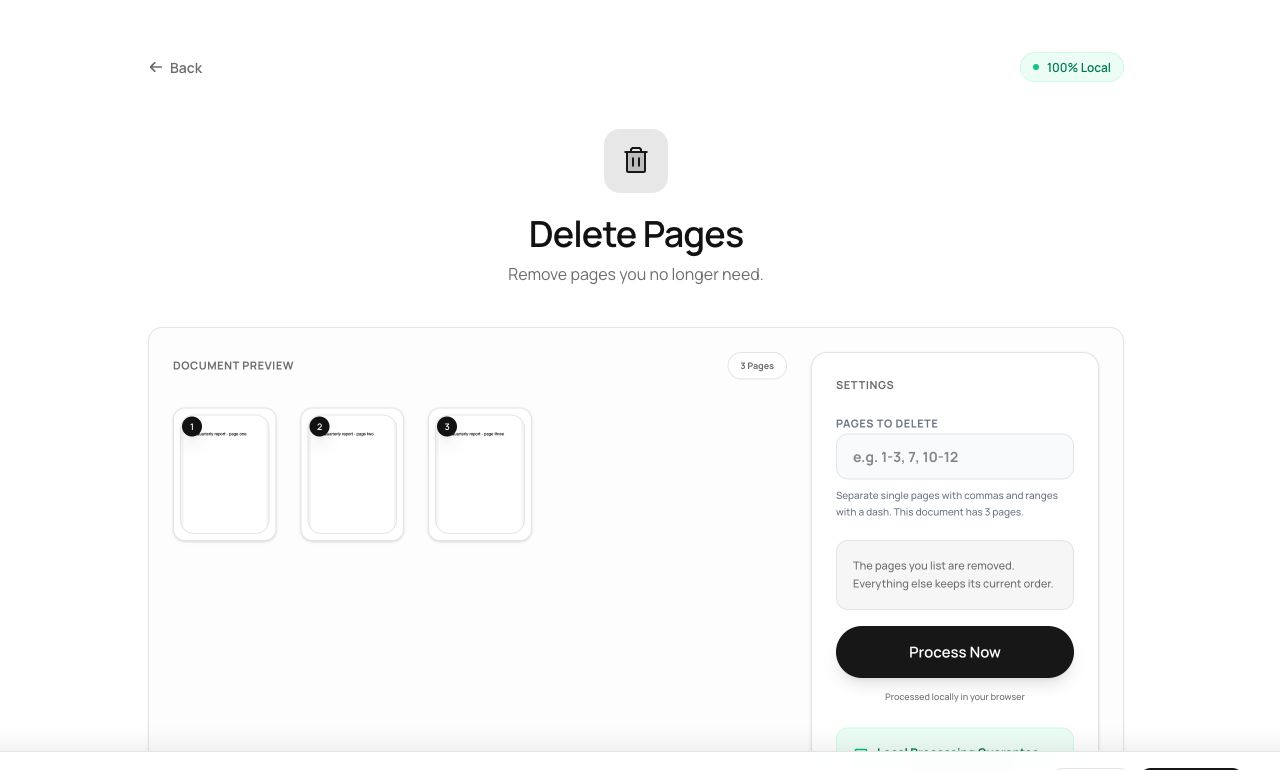
- Open Delete Pages and choose the PDF.
- List the pages to remove -
1, 3-4removes page one, three and four. - Process and download the shortened document.
Try it now: open the Delete Pages tool - no account, no upload, free.
What happens under the hood
The tool copies every page except the listed ones into a new document. Because the discarded pages are simply never copied, they are not “hidden” or recoverable from the output file - they are absent from it.
Tips for better results
- Since everything runs locally, the removed pages were never seen by anyone - worth remembering when the deleted page is exactly the sensitive one.
- Keep your original: the output is a new file, so you can always re-do the deletion differently.
Privacy, in one sentence
Your file is read into your browser's memory, processed there by JavaScript and WebAssembly, and handed back to you as a download - no server ever sees a byte of it. Close the tab and nothing remains.