Aug 03, 2026 · 4 min read · Guide
Converting a PDF to A4, Letter or Legal Without Distortion
US Letter downloads misprint on A4 paper everywhere outside North America, and scanners produce whatever size the paper guide happened to be set to. This tool rescales every page onto one uniform size.
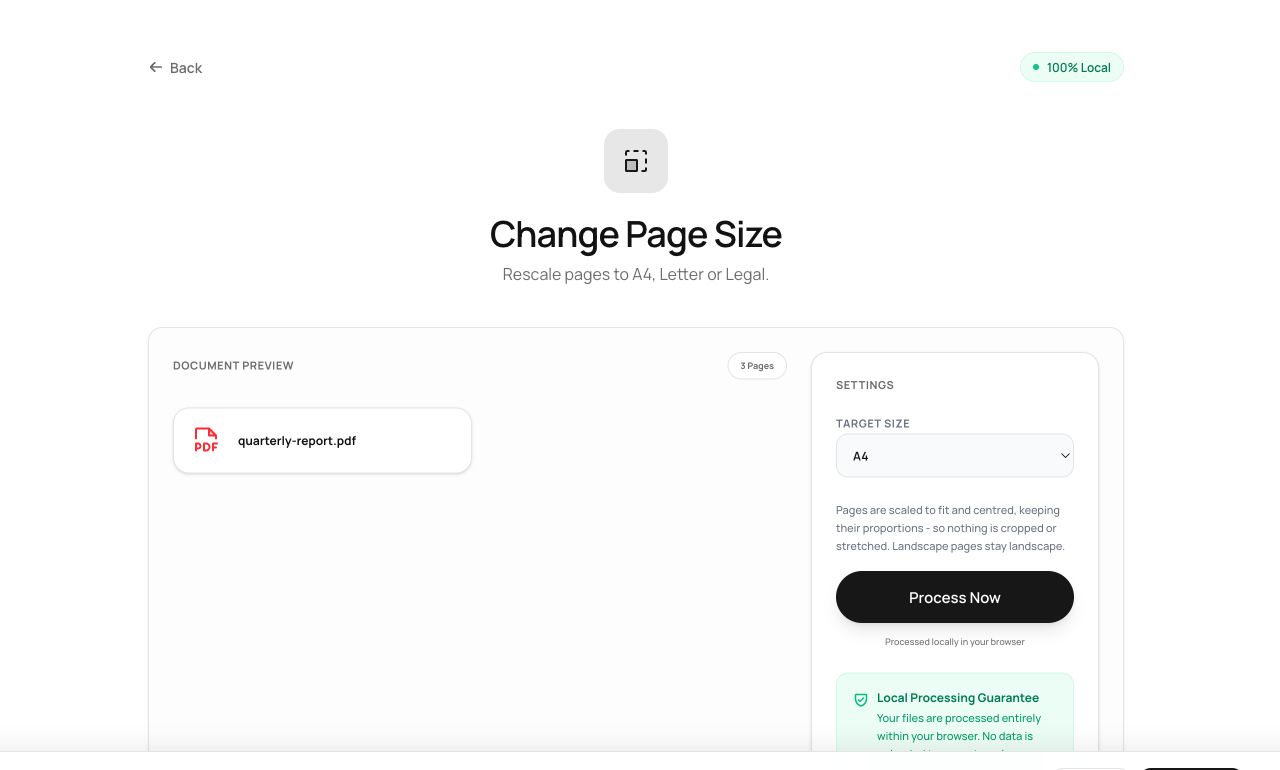
How to use it
- Open Change Page Size and pick the PDF.
- Choose the target: A4, Letter, Legal, A3 or A5.
- Process - every page is now exactly that size, contents scaled to fit.
Try it now: open the Change Page Size tool - no account, no upload, free.
What happens under the hood
Each source page is embedded onto a new page of the target dimensions, scaled proportionally and centered. Aspect ratio is never distorted - a Letter page moved to A4 gains small margins rather than stretched text.
Tips for better results
- Mixed-size documents (a fax page here, a receipt scan there) come out beautifully uniform - this is the tool’s best trick.
- Scaling is vector-based: text remains selectable and sharp after conversion.
Privacy, in one sentence
Your file is read into your browser's memory, processed there by JavaScript and WebAssembly, and handed back to you as a download - no server ever sees a byte of it. Close the tab and nothing remains.