Aug 03, 2026 · 4 min read · Edit
Giving a Long PDF a Clickable Table of Contents
A long PDF without an outline forces every reader to scroll and skim. Bookmarks - the clickable chapter list in a reader’s sidebar - are the difference between a document and a pile of pages.
How to use it
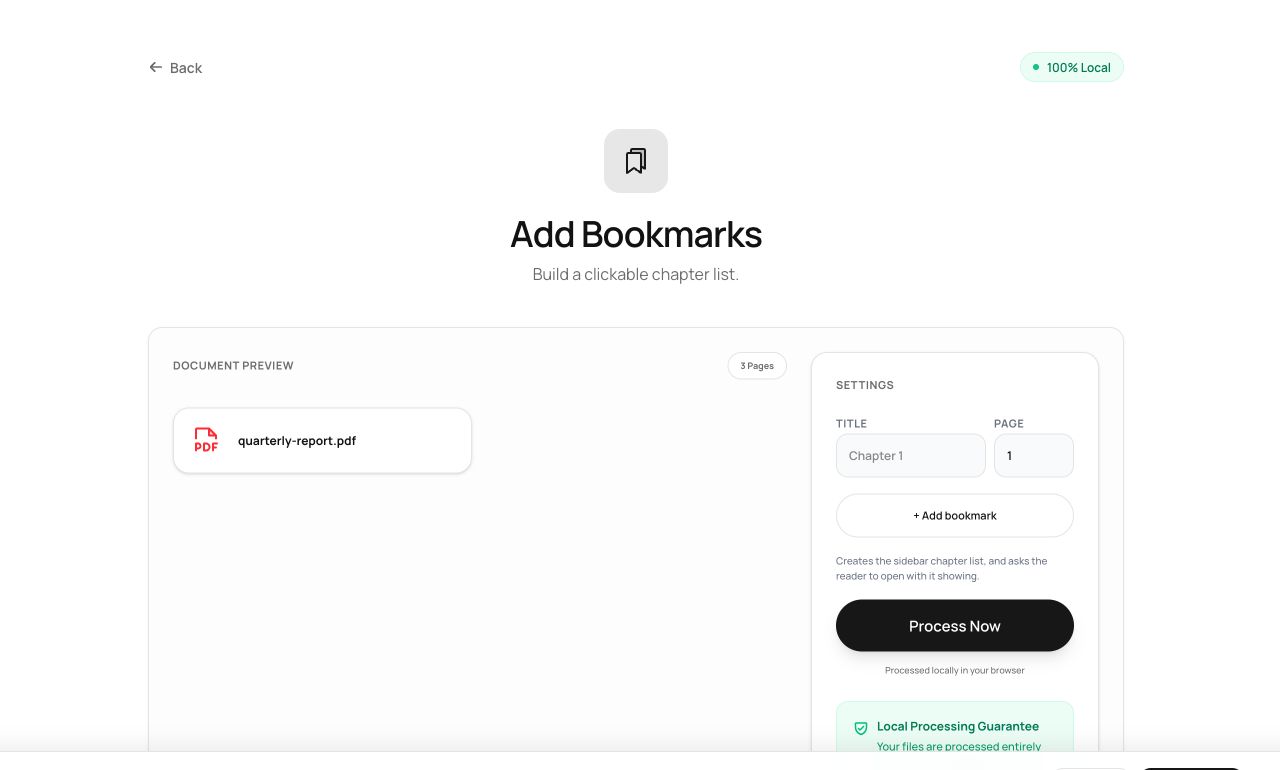
- Open Add Bookmarks and choose the PDF.
- Add entries: a title and the page it jumps to, one per chapter or section.
- Process - the outline is written into the file and appears in any reader’s sidebar.
Try it now: open the Add Bookmarks tool - no account, no upload, free.
What happens under the hood
PDF outlines are a linked tree of named destinations stored in the document catalog. The tool builds that tree and points each entry at the top of your chosen page - the same structure publishers generate for manuals and books.
Tips for better results
- Match bookmark titles to the document’s own headings; readers use them as a table of contents.
- Pair with Viewer Preferences set to “open with bookmarks visible” so recipients actually discover the outline.
Privacy, in one sentence
Your file is read into your browser's memory, processed there by JavaScript and WebAssembly, and handed back to you as a download - no server ever sees a byte of it. Close the tab and nothing remains.